Build a Professional CVBefore Your Coffee Gets Cold
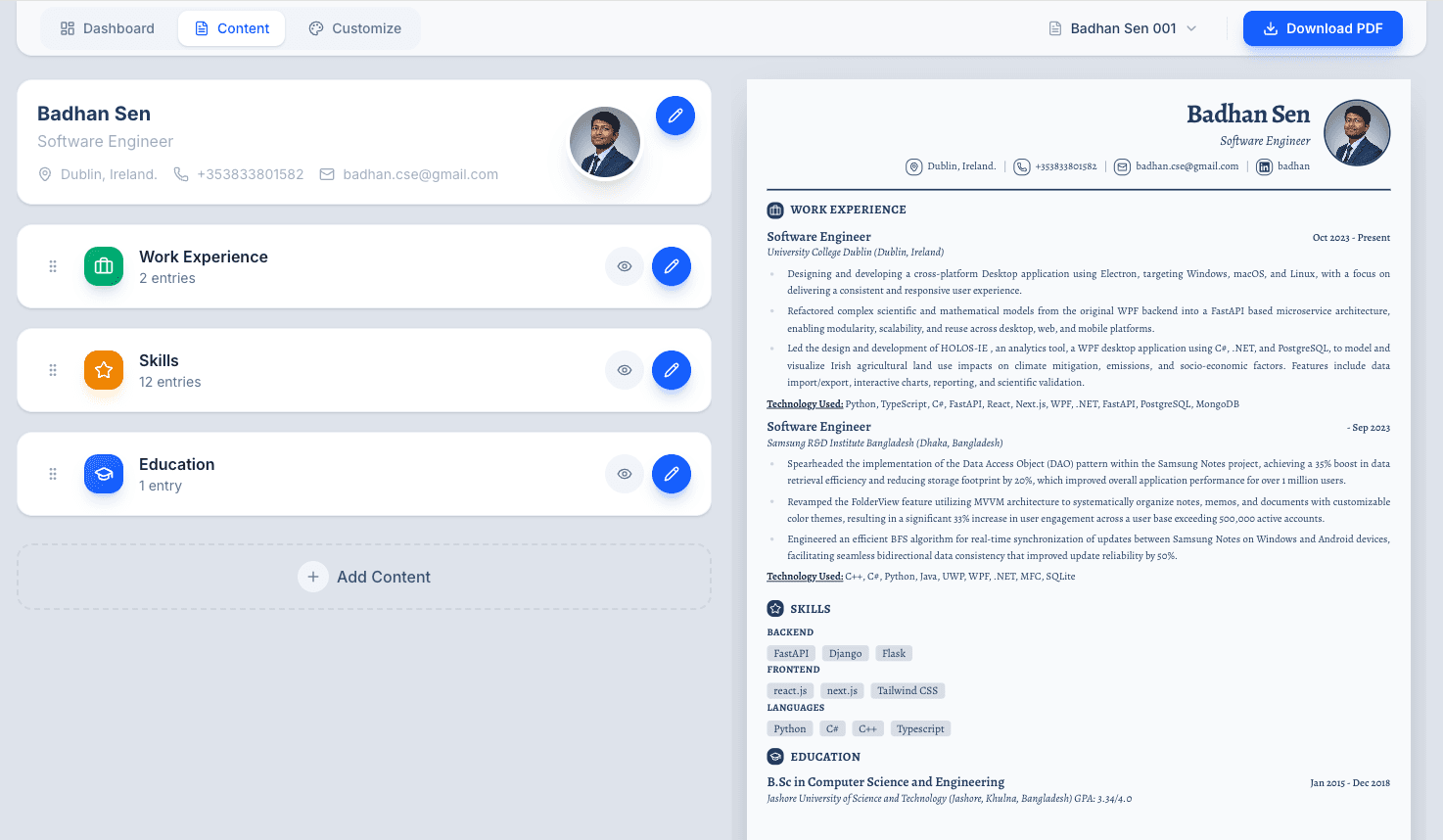
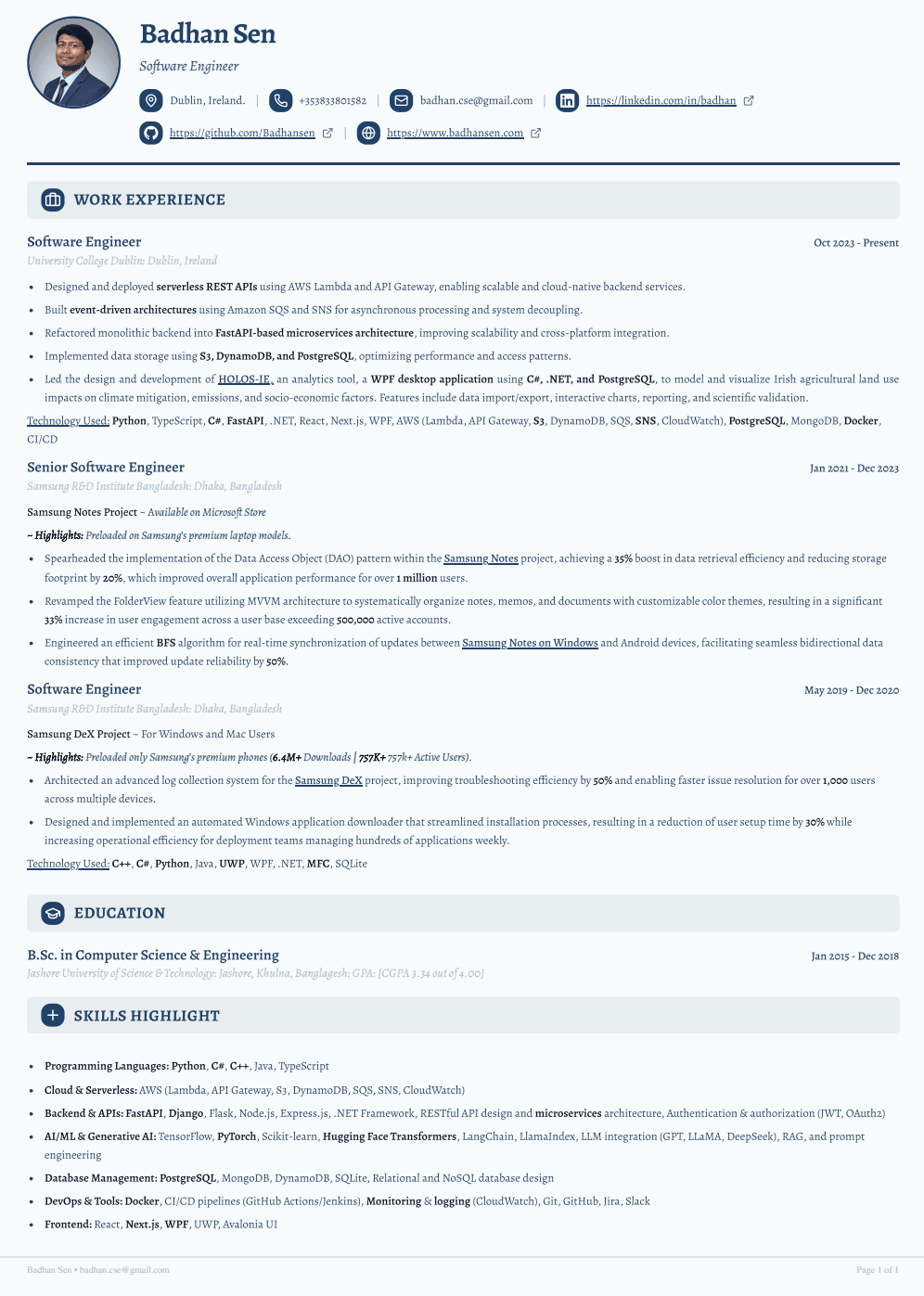
Edit on the left, and the real A4 page redraws on the right as you type. The PDF you download is the sheet you were looking at — sized for print and built to be read by a parser first.
Free while FastCV is in betaNo cardNo watermark on your PDFYou’ll make an account first
210 × 297 mm · A4 · 96 dpi
The right-hand panel is not a preview. It is the page.
Most builders show you a thumbnail and surprise you at download. FastCV renders the real sheet at its real size, every keystroke, and exports exactly that.
What’s actually in the box
A short list, honestly counted. Everything below works right now — this is the whole product, not a roadmap with the dates filed off.
- Template
One template, bent a long way
One modular template is live today, and the presets still in progress are marked as such on the templates page rather than counted in a headline.
- Live canvas
The A4 page redraws as you type
210 × 297 mm at 96 dpi, rendered in the browser. Not a thumbnail, not a render step you wait for — the sheet itself, updating on every keystroke.
- Export
One click, print-ready PDF
Headless Chromium prints the page you were just looking at. No watermark, no second layout, nothing revealed at download that was not on screen.
- Control
Fonts, colour, spacing, margins, order
Fifteen section types, dragged into any order — down to the individual entries and the contact fields in your header. Type, tone and page layout are all yours.
- Your data
Stored in your account, deleted when you say so
Your resumes live in your account and nowhere else. Delete one or delete all of them from the dashboard, and it is gone from the servers. Never sold.
Questions worth asking first
Including the ones this category usually answers badly: what it costs, what it cannot do, and where your resume ends up.
General
Building
Privacy & data
Templates
Still stuck? Email badhan.cse@gmail.com.